How to Save Instagram Reels Directly to Your Camera Roll (With Audio)
Published on August 12, 2026 by VaultSave Team
Ever saved an Instagram Reel, came back a month later to watch it, and found a grey thumbnail saying "Audio unavailable"? Or worse, the creator simply nuked their account and took the video with them?
Saving a Reel inside the Instagram app isn't actually saving it. It is just creating a bookmark on their servers. If the audio gets muted over licensing or the post gets removed, it is gone.
If you want the actual video file on your phone storage with sound intact and without watermarks here is how to do it.
The Problem With Instagram’s Own "Download" Button
Yes, Instagram added a built-in download option. And yes, it is mostly frustrating to use:
- Muted Audio: If a Reel uses a track from a major record label, Instagram’s licensing deals usually don’t cover offline storage. The app simply wipes the audio track, leaving you with a silent clip.
- Account Restrictions: Creators can toggle off downloads in their settings. If they do, the download button disappears entirely.
- Annoying Watermarks: Even when a download works, Instagram stamps a big moving watermark with their handle right across the frame.
To get clean 1080p footage with sound, you need to pull the raw file from the public CDN link.
Steps to Save Reels to iPhone or Android
No login credentials or shady app installs are needed.
1. Copy the Reel Link
- Open Instagram on your phone.
- Head to the Reel you want to keep.
- Tap the Share button on the bottom right (the paper airplane icon).
- Tap Copy Link.
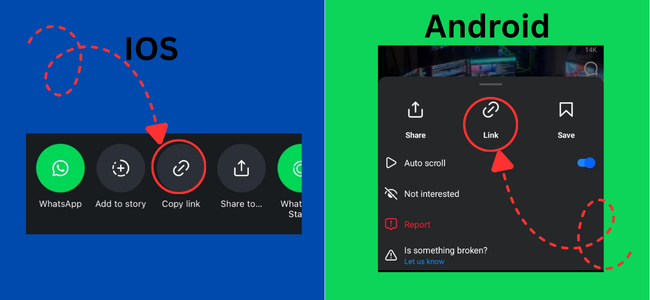
Tap copy link from Instagram share menu
2. Paste It Into VaultSave
- Open Safari, Chrome, or any browser.
- Go to VaultSave.app.
- Paste your link into the search box and tap Download.
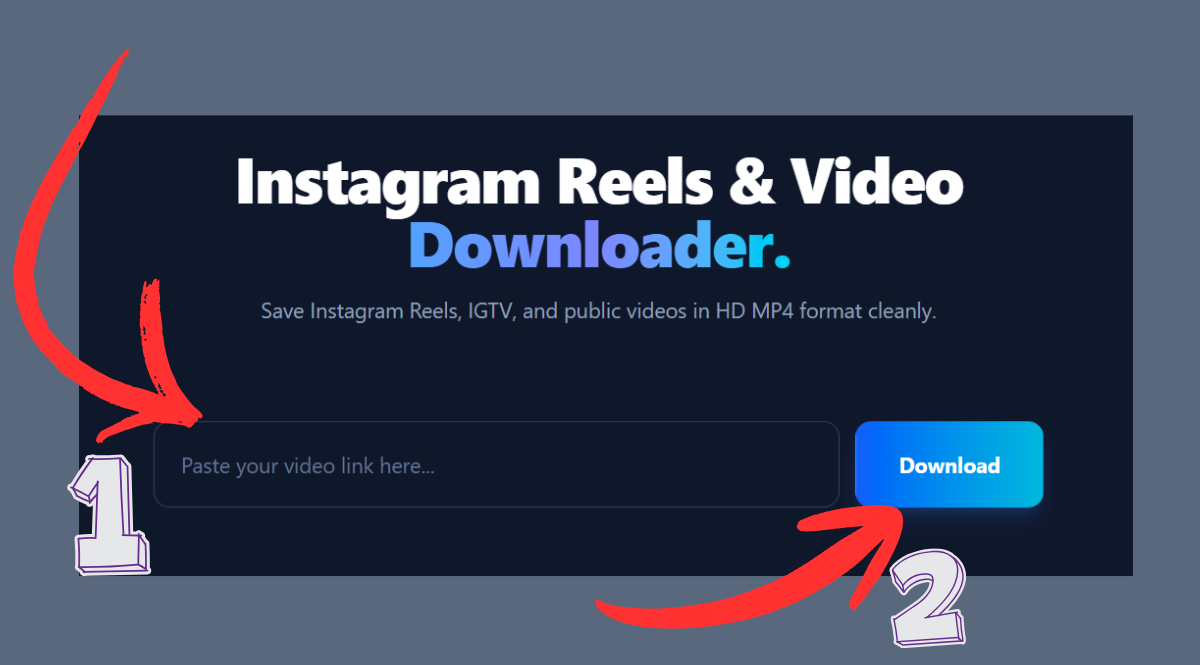
Paste link into VaultSave input field
3. Save to Your Device Gallery
- On iPhone: Tap download. Safari will prompt to confirm. Once finished, open Safari Downloads, tap the video, open the iOS Share sheet, and select "Save Video". It drops right into your Photos app.
- On Android: Hit download. The browser saves the MP4 directly into your
Downloadsfolder, which instantly appears inside Google Photos or Gallery.
Native Download vs. VaultSave
| Feature | Built-in Instagram Save | VaultSave Downloader |
|---|---|---|
| Audio Retention | Mutes licensed tracks | Keeps 100% full original audio |
| Watermark | Adds huge moving logo overlay | Clean MP4 with zero watermark |
| Quality | Compressed stream | Original source quality (up to 1080p) |
| Device Support | Mobile app only | Works across iOS, Android, PC, Mac |
Why Web Tools Beat App Store Apps
Search "Reel downloader" on Google Play or the App Store, and you will find hundreds of apps with major red flags:
- Account Stealing: Any app forcing you to "Log in with Instagram" can grab your session cookies and get your account locked.
- Aggressive Ads: Most apps make you watch 30 second unskippable ads before letting you save anything.
- Storage Bloat: Browser tools like VaultSave do not take up 100MB of storage or run battery-draining background processes.
Common Reasons a Download Fails
- Private Account: Scrapers cannot access locked accounts. The Reel must come from a public profile.
- Story Links: 24-hour Story URLs use a temporary session structure. Make sure your link has
/reel/or/p/in the URL. - Network Glitch: If an error occurs, Instagram might be rate-limiting. Wait 10 seconds and try hitting download again.
Ready to download your video?
Paste any link into VaultSave and start downloading in HD.
Go to Downloader